
Contacts & tags
Contacts is the CRM list for people who message you on WhatsApp. Tags are first-class records (not free-form metadata), so you can filter reliably and target broadcasts.
Open Contacts
Use Contacts in the admin sidebar.
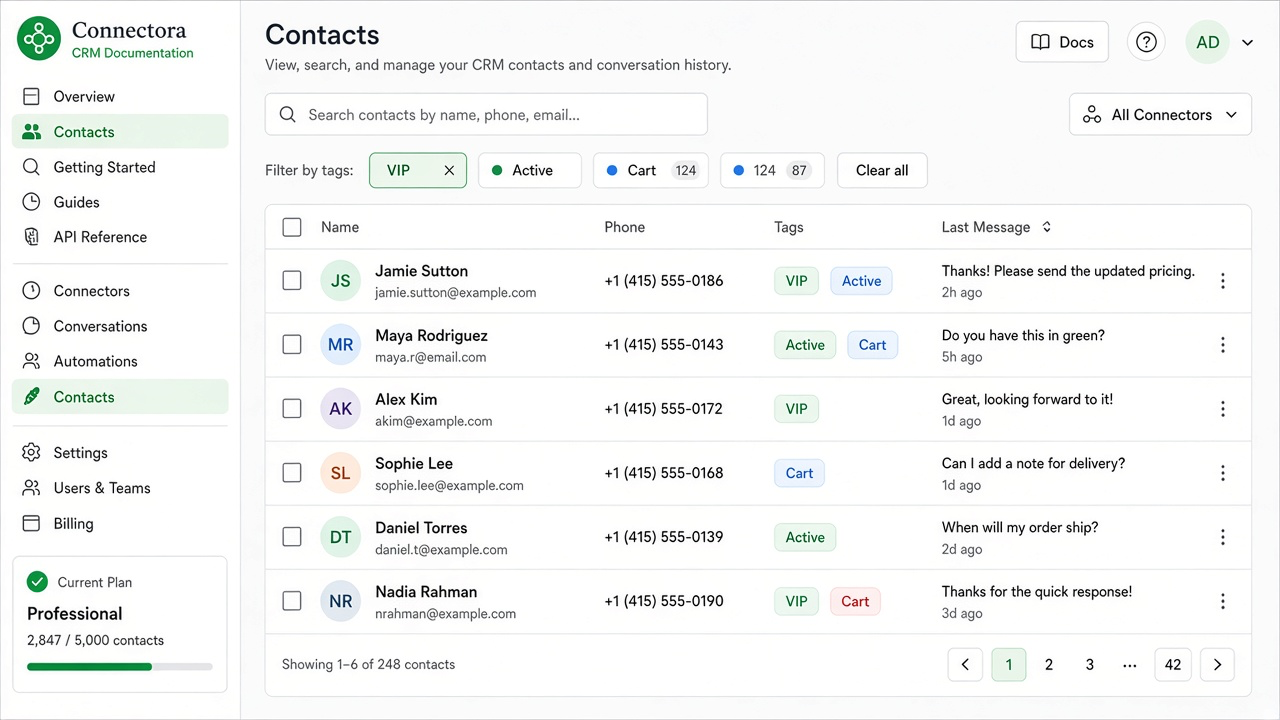
What you can do
- Search by name or phone
- Filter by opt-in status and one or more tags (AND)
- Create contacts
- Edit name, marketing opt-in, and tags (admins)
- Open chat for a contact (starts or resumes the conversation)
Tags
Admins can manage tags from Manage tags:
- Create a tag with a name (and optional color)
- Attach tags on create/edit contact
- Delete a tag to remove it from contacts
Workflow actions such as Add contact tag also write to the same tag tables.
Opt-in
Marketing broadcasts and marketing templates respect opt-in. Keep opted_in accurate before sending promotional campaigns.