WhatsApp troubleshooting
| Symptom | What to check |
|---|---|
| Connect with Meta / Connect WhatsApp missing | Org badge should be Connectora platform app. Embedded Signup needs platform env (META_EMBEDDED_SIGNUP_CONFIG_ID). If badge says Your Meta app, BYO was enabled in God Mode |
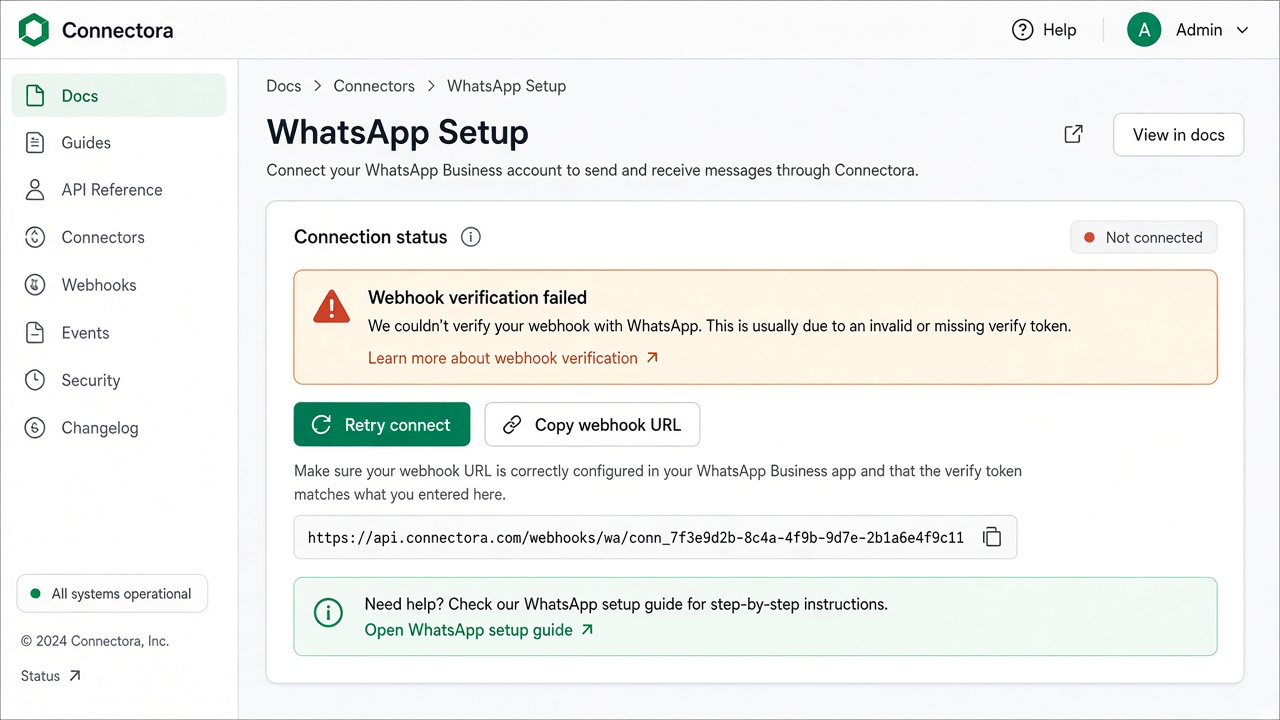
| Webhook verification fails (platform) | Shared callback /webhooks/whatsapp + verify token from WhatsApp Setup; Meta app must be the platform app |
| Webhook verification fails (BYO) | Org-scoped /webhooks/whatsapp/{organization_id}; App Secret must match the merchant Meta app that owns the webhook |
| No inbound messages (platform app) | Shared webhook; WABA subscribed after Save / Embedded Signup; BYO disabled for the org |
| No inbound messages (BYO) | WABA subscribed to the merchant Meta app; webhook field messages; org-scoped path |
| Embedded signup fails | Ad blockers, third-party cookies, Meta business verification, payment method on WhatsApp account |
| Access token errors | Paste a fresh Cloud API token in WhatsApp Setup; WABA/phone IDs can stay as-is |
| Template send fails | Template status Approved; fill every placeholder; marketing opt-in when required |
| Quality rating dropped | Review Meta quality recommendations; prefer utility templates for transactional traffic |
Still stuck? Contact support from the Connectora app billing or settings page.